 Welcome To JG IT Solution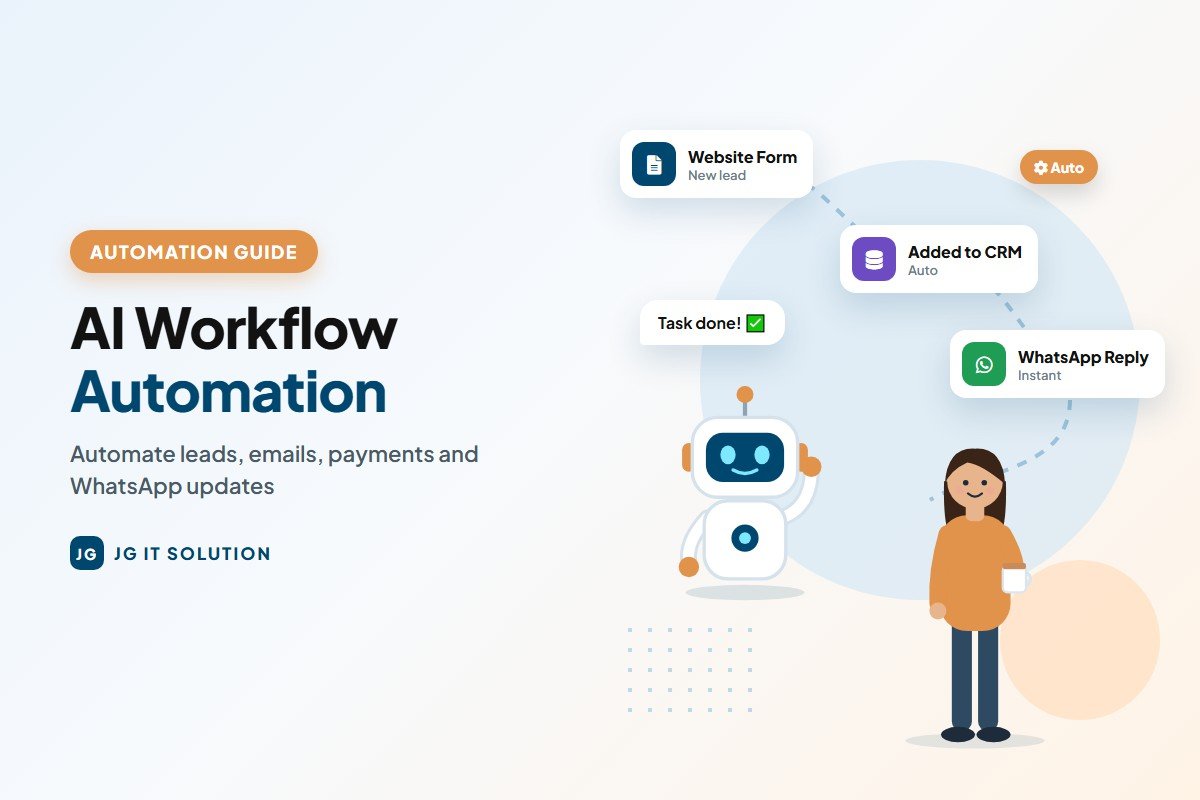
How much time does your team spend copying data from one place to another? Moving website enquiries into a sheet, sending the same follow-up message again and again, reminding customers about payments, preparing the same weekly report... These small tasks quietly eat hours every day.
AI workflow automation solves this problem. It connects your apps, moves information automatically and uses AI to handle simple thinking tasks like summarising, sorting and drafting replies. In this beginner-friendly guide, you will learn what AI workflow automation is, real examples for Indian businesses, the best tools to use and a step-by-step plan to automate your first workflow.
What Is AI Workflow Automation?
A workflow is a series of steps you follow to complete a task. For example: a customer fills an enquiry form → you copy the details into a sheet → you send a WhatsApp message → you assign the lead to a salesperson.
Workflow automation means software does these steps automatically. AI workflow automation goes one step further - it adds AI to steps that need some understanding, such as:
- Reading an email and deciding whether it is a sales enquiry, complaint or invoice.
- Summarising a long customer message in two lines.
- Drafting a polite reply for a human to approve.
- Extracting details like name, phone number and amount from a document.
Traditional Automation vs AI Workflow Automation
| Traditional automation | AI workflow automation |
|---|---|
| Follows fixed "if this, then that" rules | Can understand text, sort and summarise |
| Works only with structured data | Works with emails, chats, PDFs and notes |
| Example: copy form data to a sheet | Example: read the enquiry, tag it as "hot lead" and draft a reply |
| Breaks when input format changes | Handles small variations in input |
Benefits of Automating Business Workflows
- Save hours every week on repetitive manual work.
- Faster response - customers get replies in minutes, not hours.
- Fewer mistakes than manual copy-paste.
- No missed leads - every enquiry is captured and followed up.
- Better reports - data is always updated in one place.
- Grow without hiring for every new task.
10 Practical AI Workflow Automation Examples
1. Website lead capture and instant follow-up
When someone fills your website form, the lead is added to a Google Sheet or CRM, a thank-you message is sent on email or WhatsApp, and your sales team gets an alert. AI can score the lead as hot, warm or cold based on the message.
2. Email sorting and reply drafts
AI reads incoming emails, labels them (sales, support, billing), summarises long threads and drafts replies that your team reviews and sends.
3. Payment reminders
Unpaid invoices trigger automatic, polite reminders a few days before and after the due date - with the invoice amount and payment link. Need a quick invoice format? Try our free invoice generator.
4. Customer support FAQs
An AI chatbot on your website or WhatsApp answers common questions about timings, prices, order status and policies, and passes complex queries to a human.
5. Social media scheduling
AI helps write post captions from a single idea, and automation tools schedule them across platforms on fixed days.
6. Meeting notes to tasks
After a meeting, an AI assistant creates a summary and action items, and automation adds those tasks to your project management tool with owners and due dates.
7. Document data extraction
AI reads purchase orders, bills or forms and extracts key details into a spreadsheet, saving hours of manual typing. Always double-check important numbers.
8. Weekly reports
Sales, website traffic or order data is collected automatically every week, and AI writes a short summary of what went up, what went down and what needs attention.
9. HR onboarding
When a new employee joins, automation creates their accounts, sends a welcome email with documents and schedules training reminders.
10. E-commerce order updates
Order confirmation, shipping updates and delivery messages go out automatically, and AI helps answer "where is my order?" questions.
Industry-Wise Automation Ideas
| Industry | Workflow you can automate |
|---|---|
| Manufacturing | Dealer enquiries to CRM, quotation follow-ups, dispatch updates to customers |
| Retail & e-commerce | Order confirmations, abandoned cart reminders, review requests after delivery |
| Clinics & healthcare | Appointment reminders, follow-up messages, feedback collection |
| Real estate | Property enquiry capture, site visit scheduling, lead nurturing messages |
| Education & coaching | Admission enquiries, fee reminders, class and exam notifications |
| Service businesses | Booking confirmations, invoice and payment reminders, customer feedback |
WhatsApp Automation for Indian Businesses
For most Indian customers, WhatsApp is the fastest way to communicate. With the official WhatsApp Business Platform (through approved providers), businesses can automate order updates, appointment reminders, payment links and replies to common questions. AI can help understand customer messages and suggest answers, while complex queries go to a team member.
Important: send automated messages only to customers who have agreed to receive them, follow WhatsApp's business policies and avoid spam. [VERIFY current WhatsApp Business Platform rules and pricing]
The Next Step: AI Agents
You may have heard the term AI agents. These are AI systems that can plan and carry out several steps on their own - for example, reading an enquiry, checking stock in a sheet, preparing a quotation draft and scheduling a follow-up. AI agents are becoming more capable, but for business-critical work they still need clear limits, access controls and human approval for important actions. Starting with simple, reliable workflows today prepares your business to use AI agents safely tomorrow.
Best Tools for AI Workflow Automation
| Tool | Good for | Skill level |
|---|---|---|
| Zapier | Connecting thousands of popular apps with simple steps | Beginner |
| Make | Visual, multi-step workflows with more control | Beginner to intermediate |
| Microsoft Power Automate | Businesses using Microsoft 365, Outlook and Teams | Beginner to intermediate |
| n8n | Flexible workflows that can be self-hosted | Intermediate |
| Google Apps Script | Custom automation inside Gmail, Sheets and Docs | Intermediate (some coding) |
| AI assistants (ChatGPT, Claude, Gemini) | The "thinking" step - summarise, classify, draft | Beginner |
| Custom software / CRM | Business-specific workflows and integrations | Built by developers |
Plans, limits and prices of these tools change often. [VERIFY current plans on each official website]
How to Automate Your First Workflow (Step by Step)
Step 1: List your repetitive tasks
For one week, note every task your team repeats daily or weekly. Look for tasks that are boring, rule-based and done often.
Step 2: Pick one simple, high-value task
Choose a task that saves the most time with the least risk - lead capture and follow-up is a great first choice for most businesses.
Step 3: Draw the workflow
Write it as simple steps: Trigger (what starts it) → Actions (what happens) → Result. For example: Form submitted → Add to sheet → Send WhatsApp → Alert sales team.
Step 4: Choose your tool
Use Zapier or Make for quick no-code setups, Power Automate if you use Microsoft 365, or a custom solution if the workflow is unique to your business.
Step 5: Add AI only where it helps
Use AI for steps that need understanding - summaries, categories and reply drafts. Keep simple steps as normal automation.
Step 6: Test with real examples
Run 10-20 test cases, including unusual ones, and check every result before going live.
Step 7: Keep a human in the loop
For customer-facing messages, payments or important decisions, let AI draft and a person approve - at least in the beginning.
Step 8: Measure and improve
Track time saved, response time and errors. Once the first workflow works well, automate the next one.
How to Calculate the Value of Automation
A simple way to see if a workflow is worth automating:
Time saved per month = Minutes per task × Tasks per day × Working days
For example, if copying and replying to each lead takes 5 minutes and you get 20 leads a day, that is 100 minutes a day - about 40 hours a month over 24 working days. Even a simple automation can give that time back to your team.
Common Mistakes to Avoid
- Automating a broken process: fix and simplify the process first, then automate it.
- Automating everything at once: start with one workflow and grow step by step.
- No error alerts: set up notifications when an automation fails.
- Letting AI send messages without checks: review AI output for important communication.
- Ignoring data security: connect only approved apps and limit access to sensitive data. See our simple AI governance guide.
Security and Privacy in Automated Workflows
Automation moves data between apps, so it must be set up carefully. Follow these simple rules:
- Connect only approved apps and remove old connections you no longer use.
- Use separate business accounts for automation tools, not personal logins.
- Give minimum access - an automation that only needs to add rows to a sheet should not have access to your full email.
- Protect personal data of customers and employees as required by India's DPDP Act.
- Turn on two-factor authentication on every automation and AI account.
- Keep a simple record of which workflows exist, what data they use and who owns them.
Your AI Workflow Automation Checklist
- Repetitive tasks listed and the first workflow selected
- Workflow drawn as Trigger → Actions → Result
- Right tool chosen (no-code tool or custom solution)
- AI used only for steps that need understanding
- Tested with 10-20 real examples
- Human approval for customer-facing and financial steps
- Error alerts set up
- Time saved measured after one month
Follow this checklist for every new workflow, and your automation will stay reliable, secure and easy to manage as your business grows.
When You Need a Custom Automation Solution
No-code tools are great for common tasks. But you may need a custom solution when:
- Your workflow connects your own website, app or software.
- You need WhatsApp, payment or CRM integrations built around your process.
- You handle large volumes of data or sensitive information.
- Monthly costs of many no-code tools become too high.
JG IT Solution builds custom websites, admin panels, CRMs and integrations that automate your business processes. Explore our website development, mobile app development and IoT development services.
Conclusion
AI workflow automation is one of the fastest ways for a business to save time and serve customers better. Start by listing repetitive tasks, automate one simple workflow, add AI only where it truly helps, and keep a human in the loop for important steps. Small automations add up to big savings over time.
Want to know which AI tools to use first? Read our guide to the best AI tools for professionals.
Frequently Asked Questions
-
What is AI workflow automation?AI workflow automation uses software to carry out the steps of a business process automatically, and adds AI for steps that need understanding - such as reading emails, summarising messages, sorting enquiries or drafting replies.
-
Which tasks can a small business automate first?Good first tasks are website lead capture and follow-up, payment reminders, order or appointment updates, email sorting and weekly reports, because they are repetitive and easy to measure.
-
Which tools are used for workflow automation?Popular tools include Zapier, Make, Microsoft Power Automate, n8n and Google Apps Script. AI assistants like ChatGPT, Claude and Gemini can be added for summarising and drafting steps. Custom software is used for business-specific workflows.
-
Do I need coding skills to automate workflows?No. No-code tools like Zapier and Make let you build many workflows by choosing apps and steps. Coding is only needed for complex or custom integrations.
-
Is it safe to let AI send messages automatically?For important customer, payment or legal communication, it is safer to let AI draft the message and have a person approve it, at least in the beginning.
-
How much time can automation save?It depends on the task. For example, if a 5-minute task is repeated 20 times a day, automating it can save around 40 hours a month over 24 working days.