GST Calculator - Calculate GST Inclusive & Exclusive Amount Online
Use this free GST calculator by JG IT Solution to add or remove GST in seconds. Select GST Exclusive to
add GST to a base price, or GST Inclusive to find the GST already included in a price. Get the net amount, GST amount,
CGST, SGST and IGST breakup and the total amount instantly.
- Net Amount₹0
- GST (18%)₹0
- CGST (9%)₹0
- SGST (9%)₹0
- IGST (18%)₹0
- Total Amount₹0
* Results are for quick reference. Please confirm the applicable GST rate for your goods or services (HSN / SAC) before billing.
What Is GST?
GST (Goods and Services Tax) is an indirect tax charged on the supply of goods and services in India. It
replaced many earlier taxes such as VAT, service tax and excise duty with a single tax system. GST is charged at different rates
depending on the type of goods or services, identified by their HSN or SAC code.
What Is a GST Calculator?
A GST calculator is an online tool that quickly calculates the GST amount on a price. Businesses, shop owners,
freelancers, accountants and customers use it to prepare quotations and invoices, check bills and understand the actual price
before and after GST - without manual calculation mistakes.
GST Inclusive vs GST Exclusive
GST Exclusive (Add GST)
The price does not include GST. GST is calculated on the base price and added on top to get the final amount.
GST Inclusive (Remove GST)
The price already includes GST. The calculator separates the GST to find the original base price - also called reverse GST calculation.
GST Calculation Formula
Formula to Add GST (GST Exclusive)
GST Amount = (Base Amount × GST Rate) ÷ 100
Total Amount = Base Amount + GST Amount
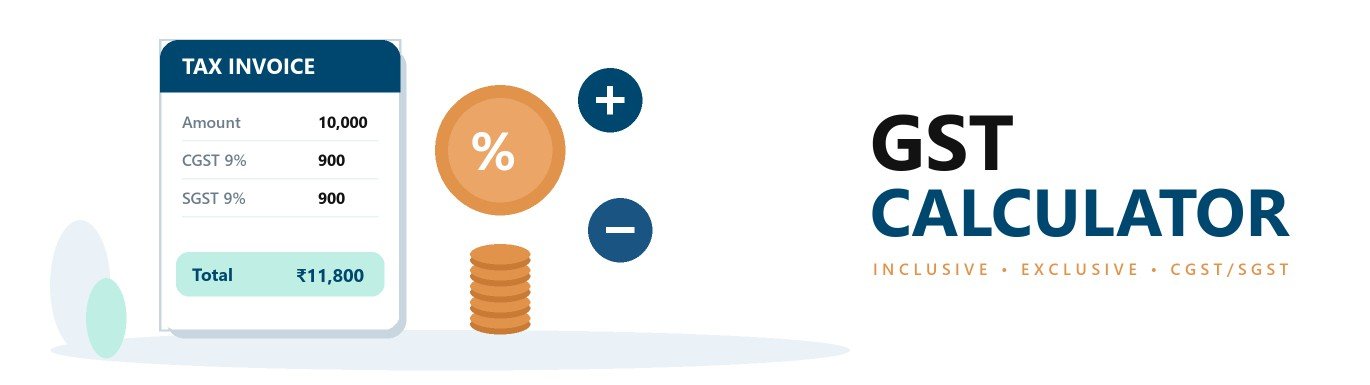
Example: Base amount ₹10,000 at 18% GST
GST Amount₹1,800.00
Total Amount₹11,800.00
Formula to Remove GST (GST Inclusive)
Net Amount = Total Amount × 100 ÷ (100 + GST Rate)
GST Amount = Total Amount – Net Amount
Example: Total amount ₹11,800 including 18% GST
Net Amount₹10,000.00
GST Amount₹1,800.00
CGST, SGST and IGST Explained
Intra-state Supply
When the seller and buyer are in the same state, GST is split equally into CGST (Central GST) and SGST (State GST). For 18% GST: 9% CGST + 9% SGST.
Inter-state Supply
When the seller and buyer are in different states, the full GST is charged as IGST (Integrated GST). For 18% GST: 18% IGST.
GST Rates in India
From 22 September 2025, GST rates were rationalised mainly into two slabs - 5% and 18% - with a special
40% rate for selected luxury and sin goods. The earlier 12% and 28% slabs were largely merged into these rates.
| GST Rate |
Category |
Applies To |
| 0% |
Nil Rated / Exempt |
Essential items such as fresh fruits, vegetables, milk and certain services. |
| 5% |
Merit Rate |
Items of daily use and essential goods & services. |
| 18% |
Standard Rate |
Most goods and services, including many electronics and business services. |
| 40% |
Special Rate |
Selected luxury and sin goods. |
| 3% / 0.25% |
Special Rates |
Gold, silver, jewellery (3%) and rough precious stones (0.25%). |
The exact GST rate depends on the HSN / SAC code of the product or service. Always check the latest official GST rate notification before billing.
How to Use the GST Calculator
-
Step 1 – Select calculation type
Choose GST Exclusive to add GST to a price, or GST Inclusive to find the GST already included in a price.
-
Step 2 – Enter the amount
Type the base price (for exclusive) or the final price including GST (for inclusive).
-
Step 3 – Select the GST rate
Pick 5%, 18%, 40% or any other rate, or type a custom GST rate.
-
Step 4 – Select supply type
Choose Intra-state for CGST + SGST split, or Inter-state for IGST.
-
Step 5 – View the GST breakup
The calculator instantly shows the net amount, GST amount, CGST / SGST or IGST and the total amount.
Who Can Use This GST Calculator?
- Business owners and shopkeepers
- Manufacturers, traders and distributors
- Freelancers and service providers
- Accountants and tax professionals
- E-commerce sellers
- Customers checking bills and prices
Frequently Asked Questions – GST Calculator
-
What is a GST calculator?
A GST calculator is an online tool that calculates the GST amount and the final price of a product or service. It can add GST to a base price (GST exclusive) or remove GST from a price that already includes GST (GST inclusive).
-
How do I calculate GST exclusive amount?
To add GST, use: GST Amount = Base Amount × GST Rate ÷ 100, and Total Amount = Base Amount + GST Amount. For example, GST at 18% on ₹10,000 is ₹1,800, so the total is ₹11,800.
-
How do I calculate GST inclusive amount (reverse GST)?
To remove GST from a price, use: Net Amount = Total Amount × 100 ÷ (100 + GST Rate), and GST Amount = Total Amount – Net Amount. For example, ₹11,800 including 18% GST has a net amount of ₹10,000 and GST of ₹1,800.
-
What is the difference between GST inclusive and exclusive?
A GST exclusive price does not include GST - GST is added on top. A GST inclusive price already includes GST - the calculator separates the GST from the price.
-
What are CGST, SGST and IGST?
For a supply within the same state, GST is split equally into CGST (Central GST) and SGST (State GST). For a supply between two different states, the full GST is charged as IGST (Integrated GST).
-
What are the current GST rates in India?
From 22 September 2025, GST rates were rationalised mainly into two slabs - 5% and 18% - with a special 40% rate for selected luxury and sin goods. Special rates such as 3% on gold and 0.25% on rough diamonds continue, and some items are exempt.
-
Can I still calculate GST at 12% or 28%?
Yes. The calculator includes 12% and 28% for invoices issued before the new rates, and you can enter any custom GST rate.
-
Is this GST calculator free?
Yes. The GST calculator by JG IT Solution is completely free and does not store any of your data.
Disclaimer: This GST calculator is for information and quick reference only and is not tax advice. GST rates and rules
may change - please verify the applicable rate with the official GST notifications or a tax professional.

 Welcome To JG IT Solution E-Store