logo

Contact Info

img Welcome To JG IT Solution E-Store
Date:
Certificate No:

Click on any text on the certificate to edit it.

Certificate Generator

Free Online Certificate Generator - Create & Print Certificates

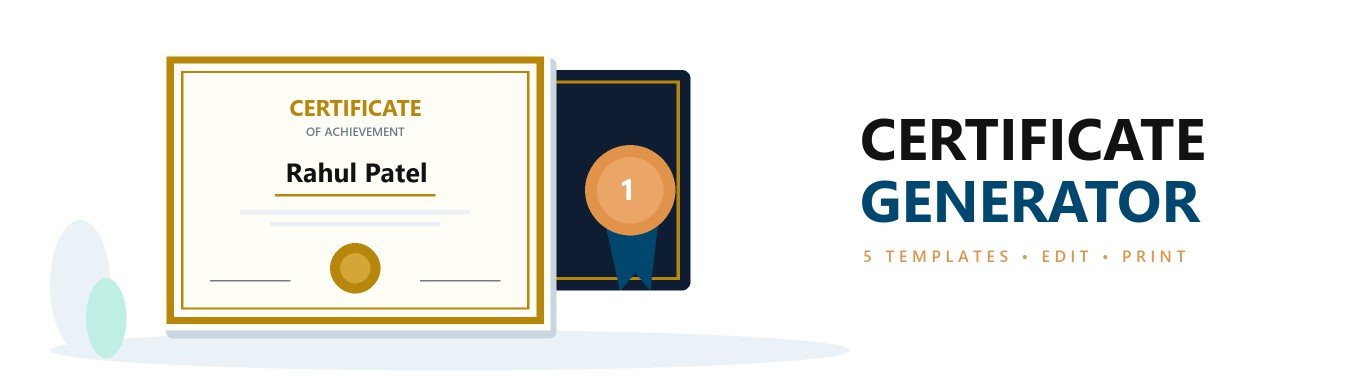
Create beautiful certificates in minutes with the free online certificate generator by JG IT Solution. Choose from 5 ready certificate templates, select the certificate type, edit the recipient name and details directly on the certificate, add your logo and signatures, and print or save it as PDF - no design skills, no sign-up and no watermark.

What Is a Certificate Generator?

A certificate generator (or certificate maker) is an online tool that helps you design and create certificates without software like Photoshop or Word. Schools, colleges, companies, trainers and event organisers use it to quickly create professional certificates of achievement, appreciation, participation, completion and internship.

Features of Our Free Certificate Maker

  • 5 professionally designed templates
  • 8 certificate types with ready text
  • Edit every word directly on the certificate
  • Upload your logo and signature images
  • Choose any accent colour
  • Show or hide seal, logo, second signature and certificate number
  • A4 landscape print and PDF
  • Auto-saved in your browser
  • Free - no sign-up, no watermark

Types of Certificates You Can Create

Certificate of Achievement

Given for outstanding performance, results or milestones in studies, sports, work or competitions.

Certificate of Appreciation

Thanks employees, volunteers, speakers, sponsors or guests for their contribution and support.

Certificate of Participation

Issued to everyone who takes part in an event, workshop, seminar, webinar or competition.

Certificate of Completion

Confirms that a person has completed a course, training program or project.

Internship Certificate

Issued by companies to interns with the role, duration and performance of the internship.

Certificate of Merit / Excellence

Recognises toppers, rank holders and winners for excellent work or results.

How to Create a Certificate Online

  1. Step 1 – Choose a template

    Select one of the 5 ready certificate designs - Classic, Modern, Elegant, Minimal or Award - and pick an accent colour.

  2. Step 2 – Select certificate type

    Choose Achievement, Appreciation, Participation, Completion, Internship and more. The title and text are filled automatically.

  3. Step 3 – Edit the details

    Click on any text on the certificate to change it - recipient name, description, organisation name, date and certificate number.

  4. Step 4 – Add logo and signatures

    Upload your logo and signature images, and type the names and designations of the signing authorities.

  5. Step 5 – Print or save as PDF

    Click "Print / Save PDF" and select "Save as PDF" to download the certificate in A4 landscape size.

What Should a Certificate Include?

  • Name of the organisation, with logo
  • Certificate title (for example, Certificate of Achievement)
  • Full name of the recipient
  • Reason for the certificate - course, event, achievement or internship details
  • Date of issue
  • Name, designation and signature of the authorised person
  • Unique certificate number for verification (recommended)

Tips for a Professional-Looking Certificate

  • Keep the description short and clear
  • Check the spelling of the recipient's name
  • Use a high-quality logo with a transparent background
  • Sign on white paper, scan it and upload as PNG
  • Use the same template for all certificates of an event
  • Print on thick, good-quality A4 paper

Who Can Use This Certificate Maker?

  • Schools and colleges
  • Coaching and training institutes
  • Companies and HR teams
  • Event and workshop organisers
  • Sports clubs and competitions
  • NGOs and volunteer groups

Frequently Asked Questions – Certificate Generator

  • Is this certificate generator free?
    Yes. The online certificate generator by JG IT Solution is completely free. There is no sign-up and no watermark on the certificate.

  • How do I make a certificate online?
    Choose a template, select the certificate type, click on the certificate to edit the name and details, add your logo and signatures, and then click "Print / Save PDF".
  • Can I add my logo and signature?
    Yes. You can upload your organisation logo and up to two signature images (PNG or JPG). They appear on the certificate and in the printout.
  • Which certificate types are available?
    You can create certificates of achievement, appreciation, participation, completion, excellence and merit, as well as internship and training certificates. You can also type any custom title.
  • How do I download the certificate as PDF?
    Click "Print / Save PDF" and choose "Save as PDF" in the print window. The certificate is saved in A4 landscape size.
  • Can I print the certificate on paper?
    Yes. Select your printer in the print window. For the best result, use A4 landscape, good-quality paper and turn on "Background graphics" in the print settings.
  • Is my certificate data stored on your server?
    No. The certificate is created entirely in your browser and saved only on your own device. Nothing is uploaded to our server.
  • Can I create certificates for students and employees?
    Yes. Schools, colleges, coaching institutes, companies, event organisers and NGOs can use it to create certificates for students, participants, employees and volunteers.
Important: Use this tool only to create genuine certificates issued by you or your organisation. Creating fake or misleading certificates, or copying another organisation's name, logo or signature without permission, is illegal.
Chat with us